


If you have the role of a teacher or session instructor, you can use MyLearningDay features for managing courses, learners, and training sessions.
The information and features available to you depend on your role. A teacher has access to the entire assigned course and can monitor learner activity, learning progress, and course completion. A session instructor has access only to the training sessions they have been assigned to.
Note: If you are not a teacher or session instructor, the course management features described in this section will not be available to you.
If you are a teacher, you can view the courses you have been assigned to and check information about their learners and course progress.
To view your courses:
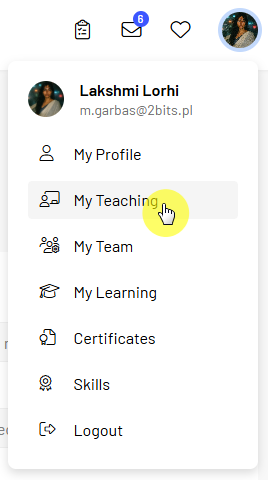
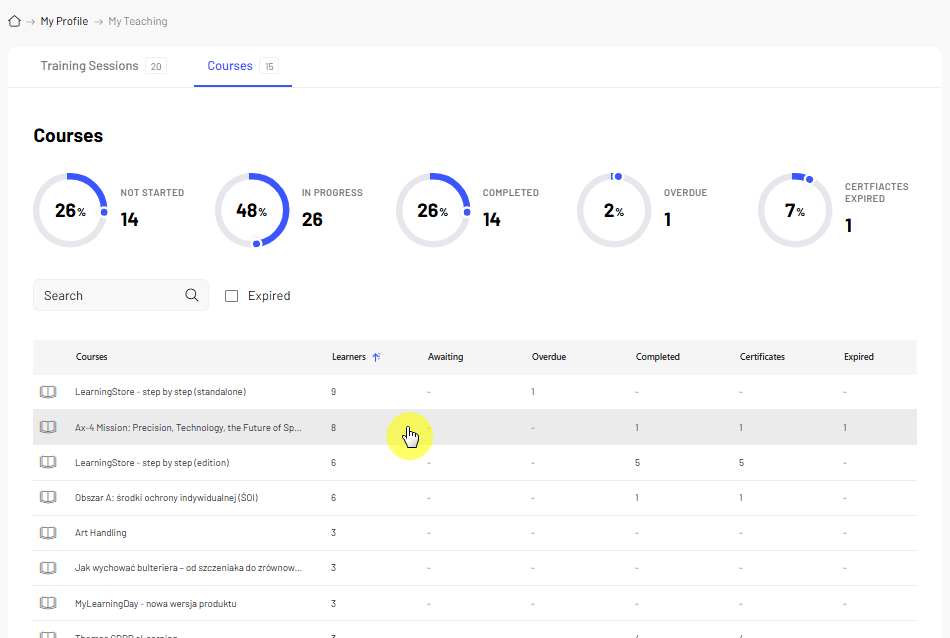
After opening a course, you can access information about enrolled learners and their learning progress.
Note: A session instructor does not have access to the entire course. They can only view the training sessions they have been assigned to.
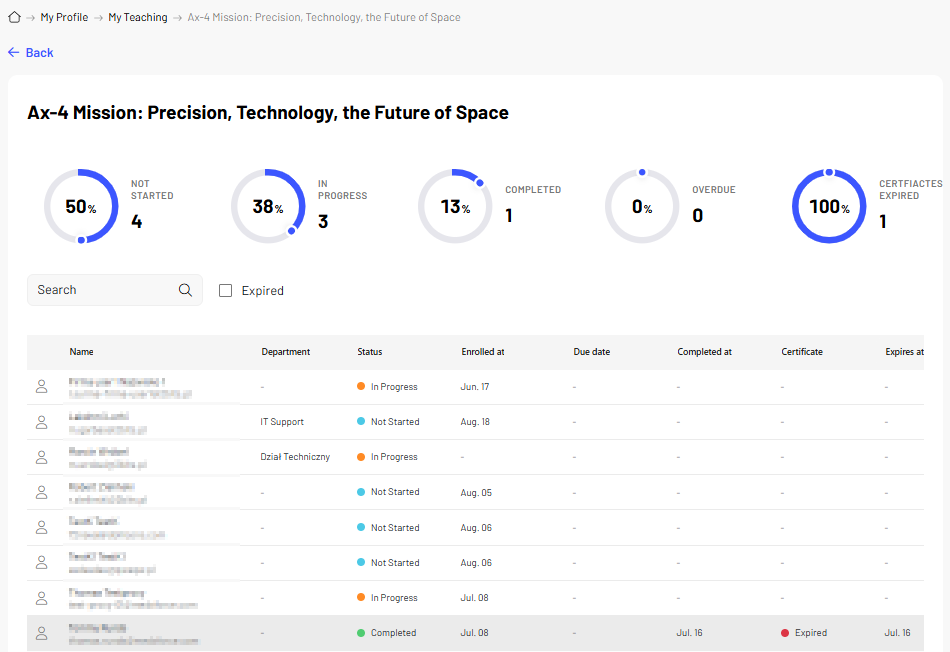
As a teacher, you can monitor how learners are progressing through an assigned course.
To check learner progress:
This allows you to quickly see which learners have started the course, how far they have progressed, and which learners have completed it.
If you need more information about a specific learner, open the available details of their course progress.
If a course includes training sessions, you can view their schedule and check detailed information about individual sessions.
To view scheduled sessions:
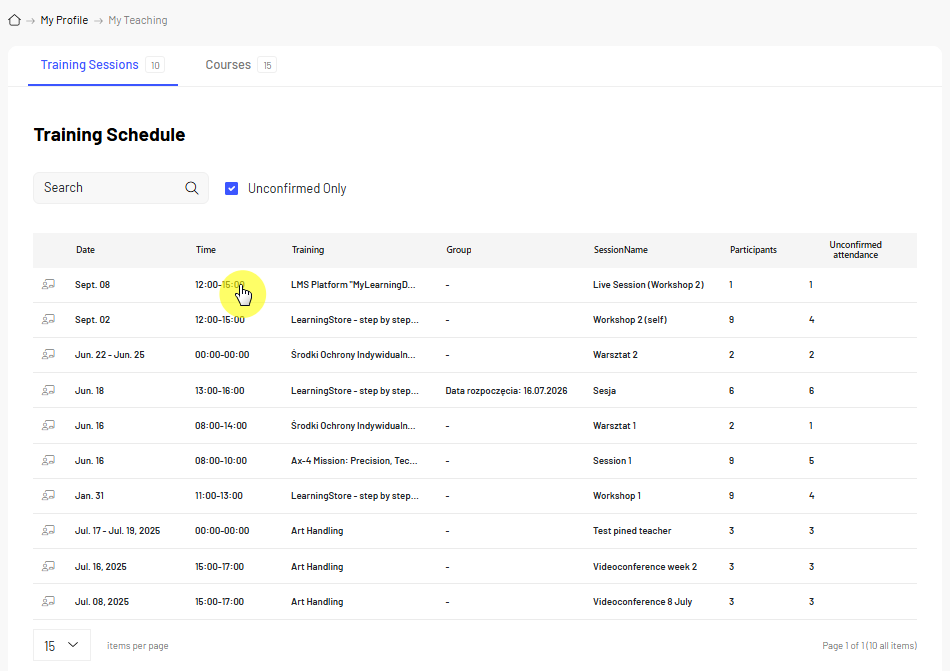
The sessions visible to you depend on your role. A teacher has access to sessions that are part of an assigned course. A session instructor can only see the sessions they have been assigned to.
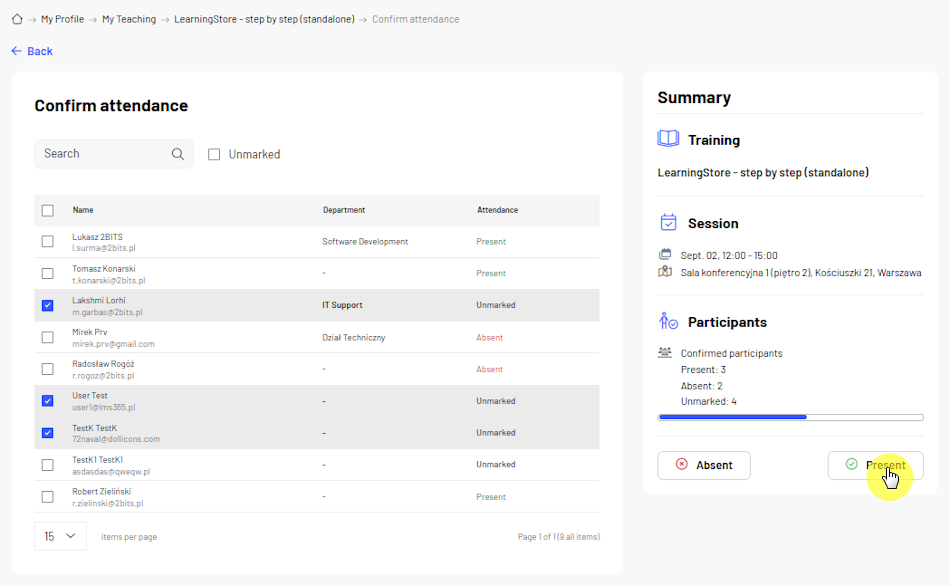
When managing a training session, you can view the enrolled learners and record their attendance.
To record attendance:
Before saving your changes, make sure attendance has been recorded for the correct learners.
Note: In some sessions, learners may be able to confirm their own attendance. The availability of this option depends on the session configuration. If self check-in is not available, attendance can be recorded by the teacher, session instructor, or training administrator.