


In the My Certificates section, you can find certificates awarded for completed training courses, download them as PDF files, and check their validity.
You can also track your progress toward earning skills, which may require you to complete several specified training courses.
Note: Not every training course awards a certificate upon completion. The availability of certificates and skills depends on the MyLearningDay configuration and the configuration of individual training courses.
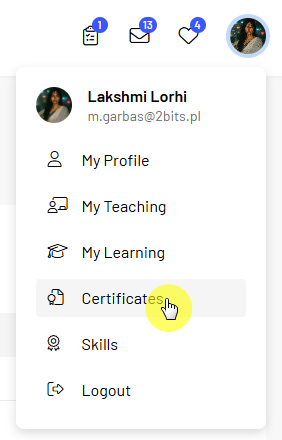
To view your certificates:
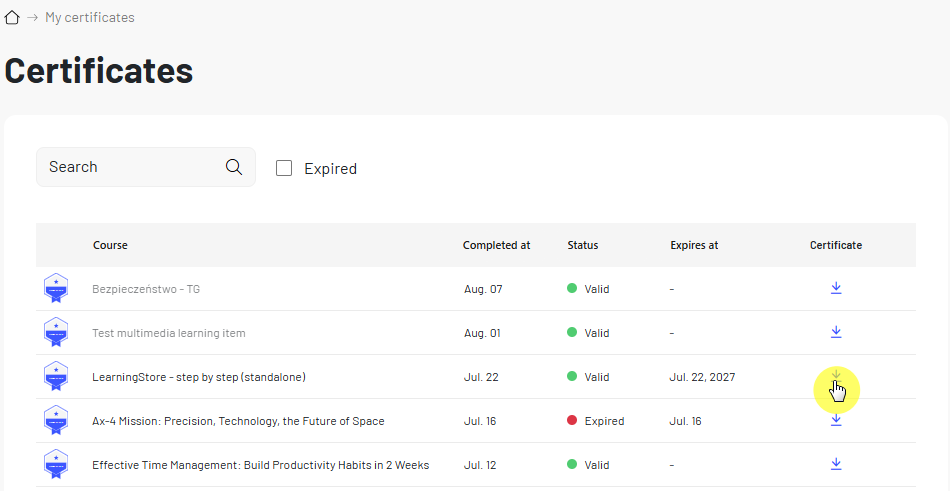
For each certificate, you can view information such as the training course name and the date the certificate was awarded.
If the certificate has a defined validity period, you can also check its expiration date and current status. This is particularly useful for recurring training courses where certificates remain valid for a specific period of time.
Important: If your certificate has an expiration date, check its current status regularly. This can help you plan when to retake the training course.
You can also download a certificate from the My Learning section or directly from the page of a completed training course. This means you do not need to open the full list of certificates every time.

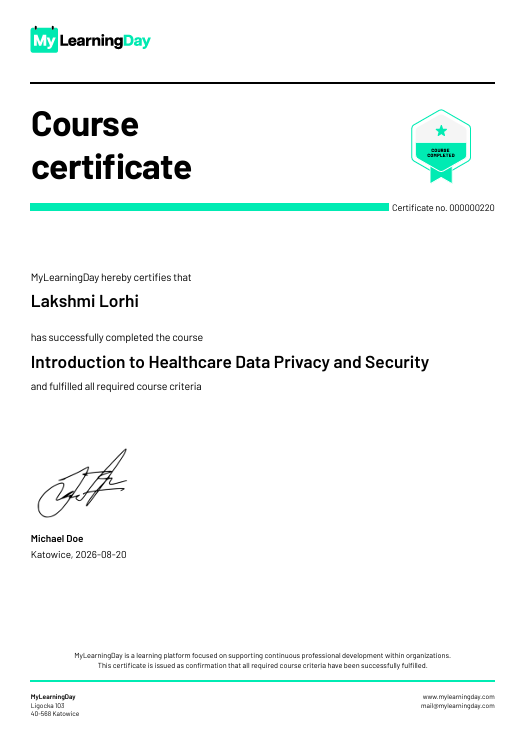
The downloaded document contains information confirming that you have completed the training course, including your details, the training course name, and the certificate number.
Note: A certificate becomes available only after you have met all the requirements for earning it.
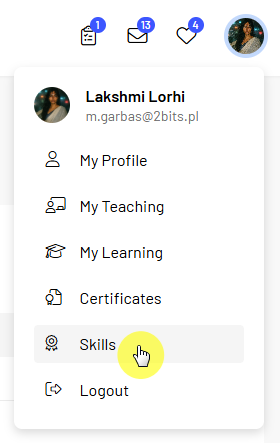
To check your skills:
Earning a skill may require you to complete several specified training courses. The progress information shows how many of the required courses you have already completed.
For example, 2 of 3 means that you have completed two of the three training courses required to earn the skill.
This allows you to quickly see which requirements you have already met and how many training courses you still need to complete to earn the skill.
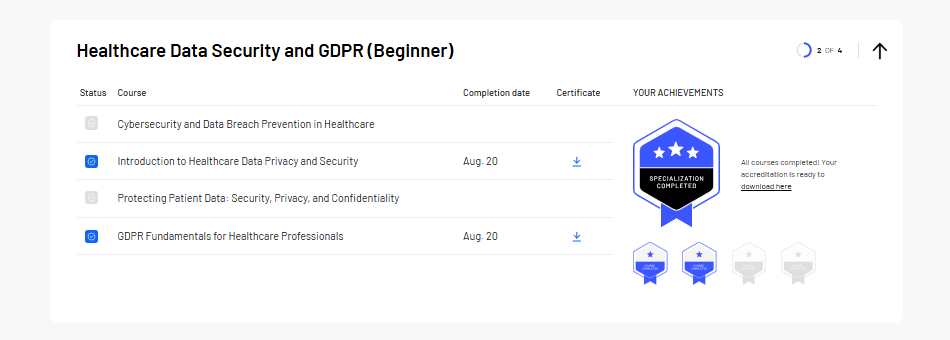
After completing all the training courses required for a skill, you can obtain a skill certificate.
To download it:
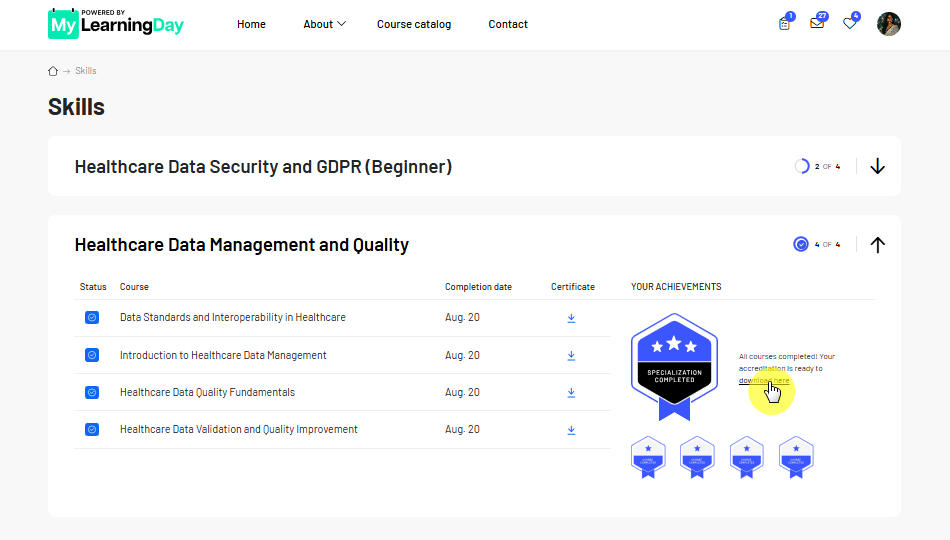
The certificate confirms that you have met all the training requirements defined for the skill.
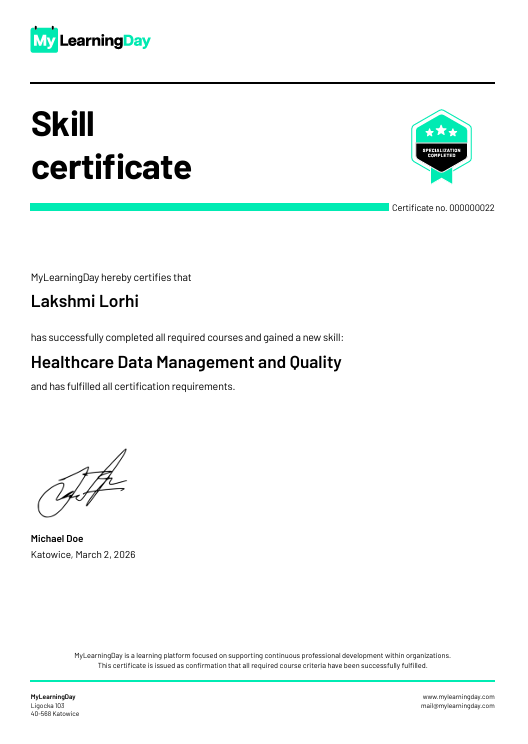
Note: The number and type of training courses required to earn a skill depend on how the skill is configured in MyLearningDay.
 See also: My Trainings