


If the administrator has enabled self enrollment, you can enroll in a selected training course directly from its page.
Important: Self enrollment availability depends on the MyLearningDay configuration. The administrator may disable self enrollment or allow only users with the appropriate permissions, such as managers, to enroll other users.
To enroll in a training course:
Once the process is complete, MyLearningDay displays a message confirming your enrollment in the training course.
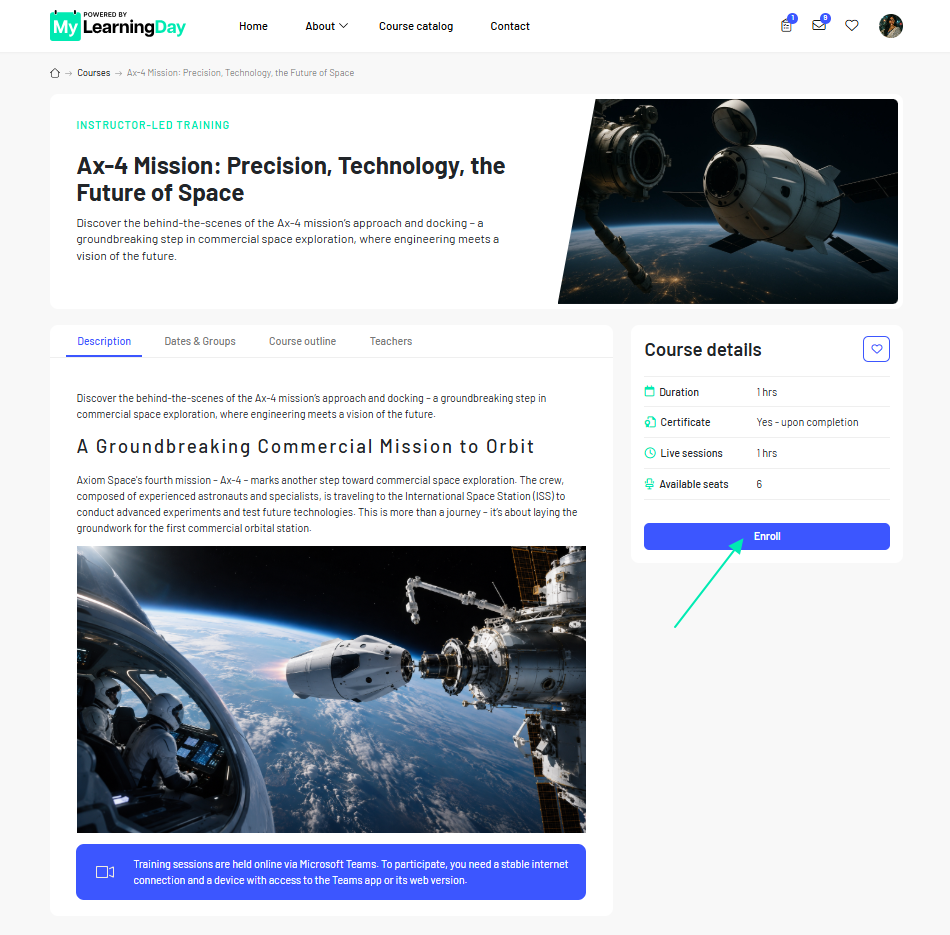
After you enroll successfully, the training course is associated with your account. Information related to completing the course, including your progress, becomes available on the training course page.
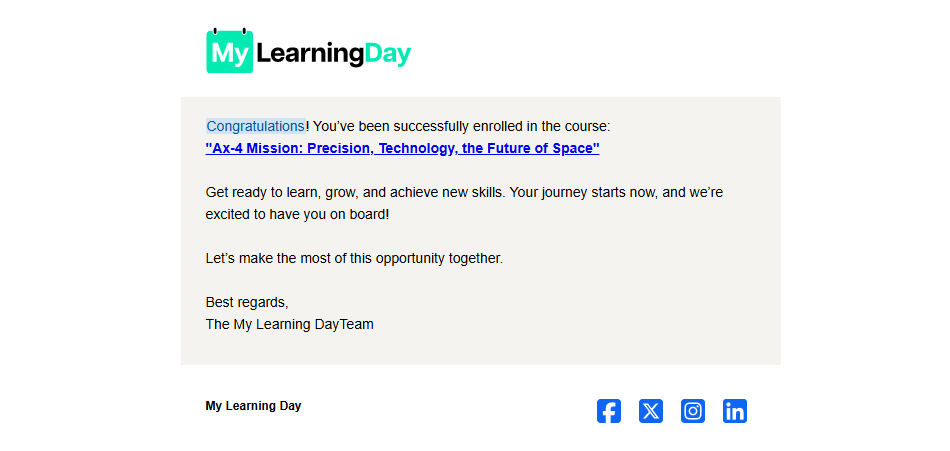
A confirmation email containing the name of the training course is also sent to the email address associated with your account.
The training course will be available in the User Dashboard and in the My Trainings section. From there, you can open the training course and start learning.
Done! You have successfully enrolled in the training course. You can now go to My Trainings and start learning.
Note: The email is provided for confirmation only. You do not need to take any additional action in the message to confirm your enrollment.
See also: User Dashboard → My Trainings