Employee Training
Onboard, train and develop your workforce.
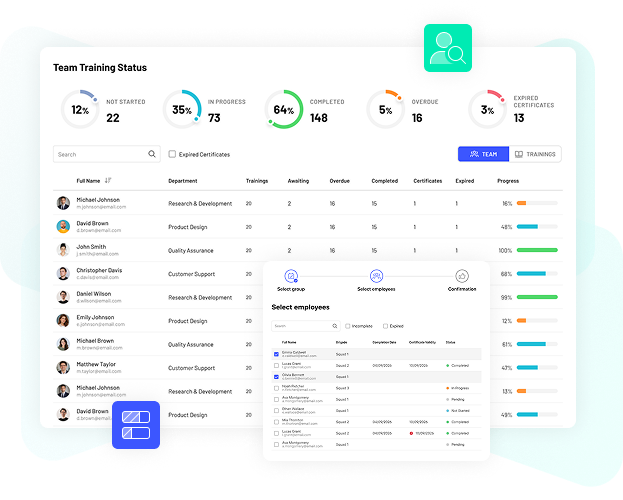
Monitor training delivery, learner progress and the information that matters throughout the learning process. MyLearningDay helps administrators, L&D teams and managers quickly see what has been completed, what is still in progress and where attention may be needed.
BOOK A DEMO
See who has started training, who has completed it and which learners are still in progress.

Monitor individual progress and track the completion of assigned training.

Review the time learners spend completing their training.

Compare training deadlines with actual completion dates and identify training that requires attention.
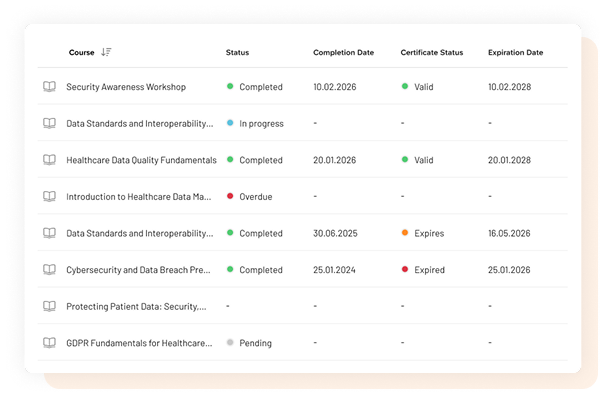
Training data becomes more useful when you can look at it from different perspectives.

Review learners, completion status, results and progress for a specific training activity.

See training assigned to an individual and information about its completion.

Monitor team member progress and help managers oversee employee development.

Review training delivery from a broader organizational perspective.
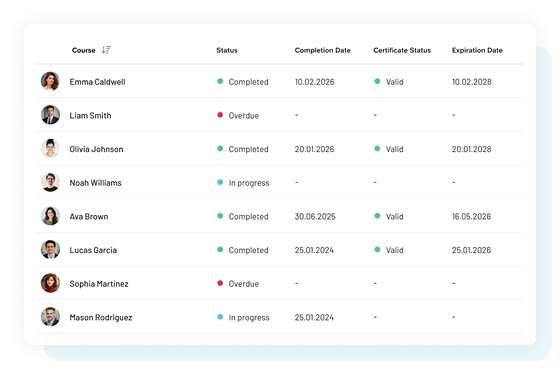
For mandatory training, enrollment alone does not tell the whole story. You need to know whether the learner actually completed the required training and whether the related certificate is still valid.
MyLearningDay connects training delivery information with certification and certificate validity.
Assignment → Training → Completion → Certificate → Validity
This makes it easier to understand each learner's current status and identify where further action may be required.
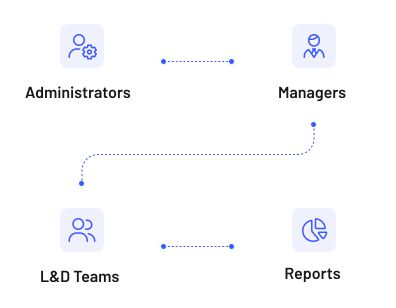
Reporting doesn’t have to be a separate step in the process. Training delivery information is available right where it’s needed for day-to-day work.
Administrators – oversee training delivery and have access to detailed information about participants and enrollments.
Managers – track training, progress, and certificates for members of their teams.
L&D Teams – monitor the progress of training programs and track participants’ progress.

Track skills development, certification status and certificate validity.

Give managers visibility into training and progress across their teams.

Monitor structured, multi stage development and certification processes.
You can track information including enrollment, training status, learner progress, learning time, deadlines and completion.
Yes. The My Team area gives managers access to information about team training, progress and certificates.
Yes. Data can be exported for further analysis and reporting outside MyLearningDay.
Get a clear view of training delivery and use learning data to monitor progress, completion and certification.